
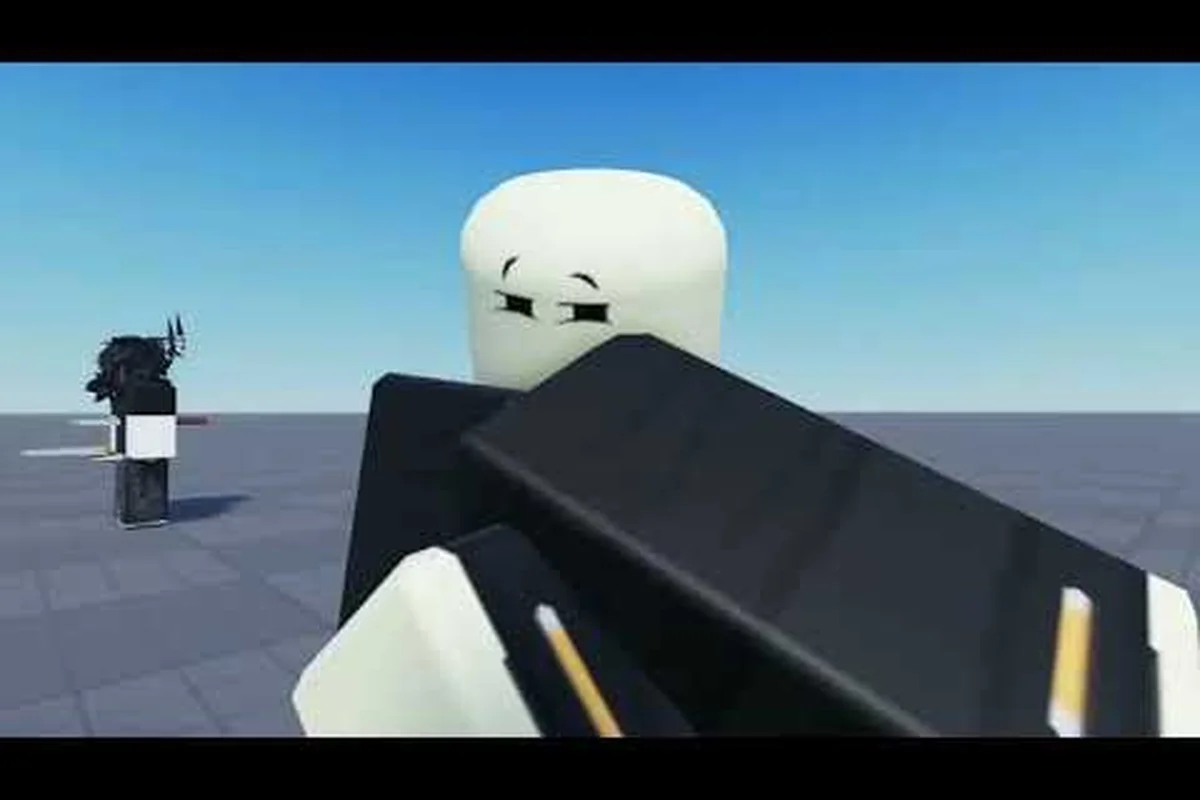
Getting ragdolled in a PvP brawler is one of the most frustrating things that can happen mid-fight — every second you spend flailing on the ground is a second your opponent uses to close distance and chain another combo. The ragdoll cancel mechanic is the single fastest way to flip that script, because it converts a defensive dead-state into a sudden repositioning tool. Below is a full Legends Battlegrounds ragdoll cancel walkthrough built around the practice mode training dummy, the safest environment in the game to drill the timing until it becomes muscle memory.
What the Ragdoll Cancel Actually Does
The ragdoll cancel is a movement tech that lets you break out of the flailing animation the instant your stickman hits the ground after a knockback, launch, or hard knockdown. According to the official Legends Battlegrounds game page, the default keybind for this action is Q (Evasive) while the character is in a ragdolled state — pressing the same key you would normally use to dash out of a block becomes a recovery input when you are on the ground.
The Three States Where the Cancel Triggers
Not every knockback behaves the same way, because the ragdoll cancel relies on the engine's recovery-frame window — and that window only opens during specific knockdown classifications. Players report three trigger states where the Evasive input successfully fires the cancel: heavy launchers that flip your legend into a true prone state, glancing dashing attacks that send you into a light tumble arc, and stage-edge juggles that snap you into a wall-bounce rebound. Each state feeds different recovery frames into the Legends Battlegrounds cancel check, which is why mapping them to a training dummy setup in practice mode is the fastest way to internalize the timing differences before you risk it in a real match.
| Trigger State | How You End Up There | Window Length (approx.) | Cancel Reliability |
|---|---|---|---|
| Hard Knockdown | Heavy launcher or a true combo finisher | ~12 frames | High |
| Light Tumble | Single dash attack or a glancing heavy | ~18 frames | High |
| Wall Bounce | Slammed into stage edge after a juggle | ~6 frames | Medium |
The window length numbers are based on community testing as of 2026-10-18 and may shift with future patches, because the developer actively tunes recovery frames to balance offense and defense. The wall-bounce window is the shortest, which is exactly why most new players fail to cancel out of juggles.
Why the Cancel Changes a Match
When you stay ragdolled, the opponent is free to walk up, buffer another launcher, and start a fresh combo. When you cancel correctly, you instead get a small invuln window and a free directional dash. That single decision turns a 40%-HP combo into a trade of pressure, which is why intermediate players treat the cancel as a core defensive layer rather than an advanced trick. For a deeper look at how the cancel slots into wider defensive decision-making, the Legends Battlegrounds combat guide covers neutral pressure and option selects in more detail.
Setting Up the Training Dummy in Practice Mode
The training dummy is the single most efficient teacher in the game, because it lets you isolate the ragdoll cancel without any human opponent interrupting your drill. Loading into practice mode takes about 30 seconds, and the dummy can be configured to hit you on a loop, which means you can practice recovering from knockback without ever leaving the menu.
Step-by-Step Practice Mode Setup
-
Launch Legends Battlegrounds and wait on the main menu.
-
Click the Practice button — the icon sits next to Play and Custom.
-
Select Training Dummy as the spawn target.
-
Wait for the lobby to load. Your character spawns in a flat arena with the dummy directly ahead.
-
Walk up to the dummy and press Left Click to engage combat — the dummy will react and start hitting you.
Once the dummy is swinging, you do not need to do anything else. The point of the training stage is not to fight the dummy; the point is to let the dummy fight you, so you can spend the entire match practicing the recovery input.
Keybinds You Will Be Pressing
Keeping the default Legends Battlegrounds keybind layout during ragdoll cancel drills is critical because the recovery input and your neutral dash share the same Q key — the game only reads whether you are currently ragdolled or standing, so re-binding either function will create a split reaction that costs you frames when you swap to a real opponent in the training dummy practice mode or in live matches.
| Action | Default Keybind | Purpose in Drills |
|---|---|---|
| Dash | Q | Movement in neutral |
| Evasive / Ragdoll Cancel | Q (ragdolled) | The recovery input you are practicing |
| Block | F | Pre-cancel defense layer |
| Awaken | G | Ultimate / awakening trigger |
| Light Attack | Left Click | Engage the dummy |
| Emote Wheel | B | Irrelevant during drills |
Notice that Q serves a dual purpose: dash in neutral, recovery when ragdolled. The game reads your state at the moment of input, so a single keybind covers both functions, which is why the Legends Battlegrounds movement guide treats this binding as the most important one to internalize.
Drilling the Cancel Timing on the Dummy
The first few attempts will feel messy, and that is the point — you are training your brain to recognize the moment the stickman touches the ground. The training dummy gives you unlimited reps, so use the first two minutes on sloppy attempts just to get a feel for the window, then tighten the timing.
The Three-Stage Recovery Drill
Defensive mains tend to use this three-stage drill because each chunk isolates a single failure mode — the recognition window opens for roughly 6 frames after your stickman's back touches the ground, the buffered Q can land any time inside the recovery state's input filter, and the directional stick component has to be held before the cancel fires, not after. Breaking the cancel into these layers lets you diagnose whether a miss was a timing problem, an input-state problem, or a movement problem, instead of guessing which variable failed in a live match.
-
Stage 1 — Recognition. Let the dummy knock you down, watch your stickman hit the ground, and press Q as soon as you see the ragdoll animation. Count how many times you got the cancel versus how many times you stayed ragdolled.
-
Stage 2 — Buffering. Start mashing Q the moment you see the launcher wind up, then keep mashing through the launch, the air time, and the landing. The game filters inputs by state, so a buffered press that lands in the recovery window will fire the cancel.
-
Stage 3 — Directional Input. Once Stage 2 is consistent, add a directional stick movement to the Q press so the cancel also repositions you. This is the version that wins real matches, because a cancel without movement just resets you to neutral.
Most players reach Stage 2 in about ten minutes and Stage 3 within an hour. If you find yourself stuck at Stage 1, slow down and watch the dummy's swing pattern, because the recovery window opens the instant your back touches the ground, not the moment the swing connects.
Common Mistakes to Watch For
New players almost always trip on the same handful of inputs during their first rep of the ragdoll cancel drill: mashing Q before the dummy finishes its launch arc, holding the cancel key instead of tapping, accidentally hitting F (Block) when fingers default to the defensive muscle, and canceling their dash straight into the nearest wall. Spotting one of these patterns in your own training dummy practice mode run is usually the fastest signal that the cancel timing window — which opens on a single ground-impact frame after the dummy's hit — has been missed.
| Mistake | Symptom | Fix |
|---|---|---|
| Pressing Q too early | Cancel does not fire | Wait for the ground-impact frame |
| Holding Q instead of tapping | Cancel fires but no dash | Tap the key, do not hold it |
| Pressing F (Block) instead of Q | Character blocks on the ground, no cancel | Remap only if you cannot break the habit |
| Canceling into a wall | You get cornered with no follow-up | Always cancel toward open stage |
The "pressing F instead of Q" mistake is the most common one in the Legends Battlegrounds how to fight learning curve, because blocking and evading share a similar input feel, and the panic of being ragdolled makes fingers default to the defensive muscle. If you keep hitting block, slow the drill down and press Q deliberately each rep, because speed will come back once the correct input is locked in.
Translating the Drill Into Real Matches
The training dummy removes the human element, which is both the value and the limit of practice mode. Once you can cancel the dummy consistently, the next step is bringing the tech into real matches, where the cancel has to compete with an opponent who is actively trying to read your recovery.
Reading the Cancel on Reaction
A good opponent will try to meaty your recovery — that is, hit you on the first frame you become actionable so your cancel never fires. To beat a meaty, you need to cancel on the earliest possible frame of the recovery window, then dash backward, because backward movement denies the opponent the spacing they need to land a follow-up launcher. This is the version of the cancel that high-rank players use, and it is the one that turns a defensive tool into a counter-offense layer.
If you find yourself still getting hit after canceling, the problem is almost always input timing rather than game design. The training dummy stage is the right place to test the earliest-frame input, because you can set the dummy to swing at fixed intervals and time your recovery against a consistent beat.
Canceling Into Combo Starters
Some characters in the roster benefit from canceling directly into a launcher or an awakening, because the recovery dash puts you close enough to start a punish. Awaken (G) is the highest-payoff option, since awakening gives you a brief invuln window and a stat boost. Canceling into awaken is risky, though, because a whiffed awakening leaves you wide open, so the safe default is to cancel, dash back, and reassess. As you learn each character's awakening timing, the cancel-to-awaken route becomes a real threat that opponents have to respect on every knockdown.
Players who prefer a methodical approach often pair the cancel with Block (F) rather than a dash, because the recovery frame is short enough to fit a block input before the opponent can meaty. The trade-off is that blocking on recovery gives up the repositioning advantage, but it does deny the opponent a free combo starter, which is sometimes the correct call against aggressive characters who rely on chaining hits.
When Not to Cancel
Even with a clean cancel input buffer, pressing the ragdoll cancel at the wrong moment can hand your opponent stage control or a free punish — for example, canceling a forward recovery while your opponent is already holding a charged projectile, or burning the cancel right as a zoning character finishes their recovery frames. The legends battlegrounds how to ragdoll cancel timing window is roughly 18 frames after hitstun ends, so misusing that budget in a neutral or losing position means you lose both the i-frames and your grounded mobility option for the rest of the exchange. Treat each cancel as a committed resource, not a reflex, and only trigger it when the resulting grounded position is strictly better than staying ragdolled.
-
Near a wall. Canceling sideways into a wall removes your escape route and traps you in the corner. Cancel backward instead.
-
Against a long-range character. If your opponent's best move is a zoning projectile, canceling forward into their range is suicide. Cancel sideways to a neutral position.
-
When your opponent is at low HP. If the opponent is one combo away from defeat, it is sometimes correct to stay ragdolled and bait an overcommit, then punish the whiff. The cancel is a defensive tool, but every defensive tool has an offensive mirror.
Knowing when not to fire the ragdoll cancel is the steeper half of the Legends Battlegrounds how to ragdoll cancel skill curve, and the training dummy practice mode is the only safe way to build that judgment — set the dummy to hold a charged projectile, then deliberately whiff your cancel forward to feel the punish window, and repeat with the dummy set to a zoning archetype like Vega or Salamander. Because the 18-frame post-hitstun budget is your only i-frame window, spending it in neutral or while your grounded mobility option is still intact converts a defensive reset into a losing exchange. Train the refusal muscle alongside the cancel muscle.
Common Questions New Players Ask About the Cancel
Players most often ask about input timing windows, controller vs. keyboard differences, and whether the cancel works in practice mode against the training dummy — the answers below address each recurring point from r/LegendsBattlegrounds threads, including why the ragdoll cancel behaves differently on slopes and how jump-cancel inputs interact with the practice mode frame counter.
Why does my cancel sometimes dash and sometimes not?
The cancel fires a dash only if you hold a directional input on the same frame you press Q. A pure Q press cancels the ragdoll but does not reposition you. If your cancels keep sending you straight up instead of sideways, you are not holding the stick at the moment of input.
Can I cancel out of any knockback?
The cancel works on every knockback the game produces, but the recovery window changes based on the attack that caused the knockback. Heavy launchers have a tight window, while light tumbles have a forgiving one. The training dummy lets you feel both windows, which is why practice mode is the right place to learn the difference.
Does the cancel work in team fights?
Yes. The cancel is a personal recovery tool, so it works the same in 1v1, 2v2, or free-for-all modes. In larger modes, however, you also need to track where the other players are standing, because canceling into a third-party attack is a common way to lose a life you would otherwise have saved.
Is the cancel the same on every character?
The input is the same on every character, but the recovery distance and the invuln length scale with the character's weight and mobility stats. Lighter characters get longer invuln and shorter dashes, while heavier characters get shorter invuln and longer dashes. The training dummy lets you feel these differences for free, which is why a five-minute drill on each new character is worth the time.
Frequently Asked Questions
How do I open the training dummy in Legends Battlegrounds?
Click Practice on the main menu, then select Training Dummy. Your character spawns in a flat arena, and the dummy starts swinging the moment you press Left Click. No matchmaking or lobby waiting is required, which makes it the fastest way to drill the cancel.
What is the exact keybind for the ragdoll cancel?
The default is Q (Evasive) while ragdolled, as listed on the official game page. The same key handles the dash in neutral, so a single binding covers both movement and recovery. If you remap your keys, make sure the Evasive and Dash inputs share a binding to avoid state confusion.
Why does my stickman stay on the ground after I press Q?
You are probably pressing Q before the recovery window opens, or you are accidentally holding the input instead of tapping it. The recovery window starts on the frame your stickman touches the ground, not the moment the launcher connects. Slow the drill down and tap Q deliberately on each rep until the timing sticks.
Does the ragdoll cancel have invincibility frames?
The cancel grants a brief invuln window that scales with the character's weight class. Lighter characters get a longer window, which is one reason fast characters feel oppressive in mid-rank lobbies. The exact i-frame count is not publicly documented and may shift with patches, so treat the value as approximate and verify on the dummy.
Can I practice the cancel without the training dummy?
Yes, but it is slower. You can ask a friend to spar in a private server, or you can let a random opponent knock you down in a public lobby and use those moments to drill. The training dummy is still the most efficient option, because the dummy's attack timing is consistent, which means you can build a real rhythm instead of reacting to a human's pace.