
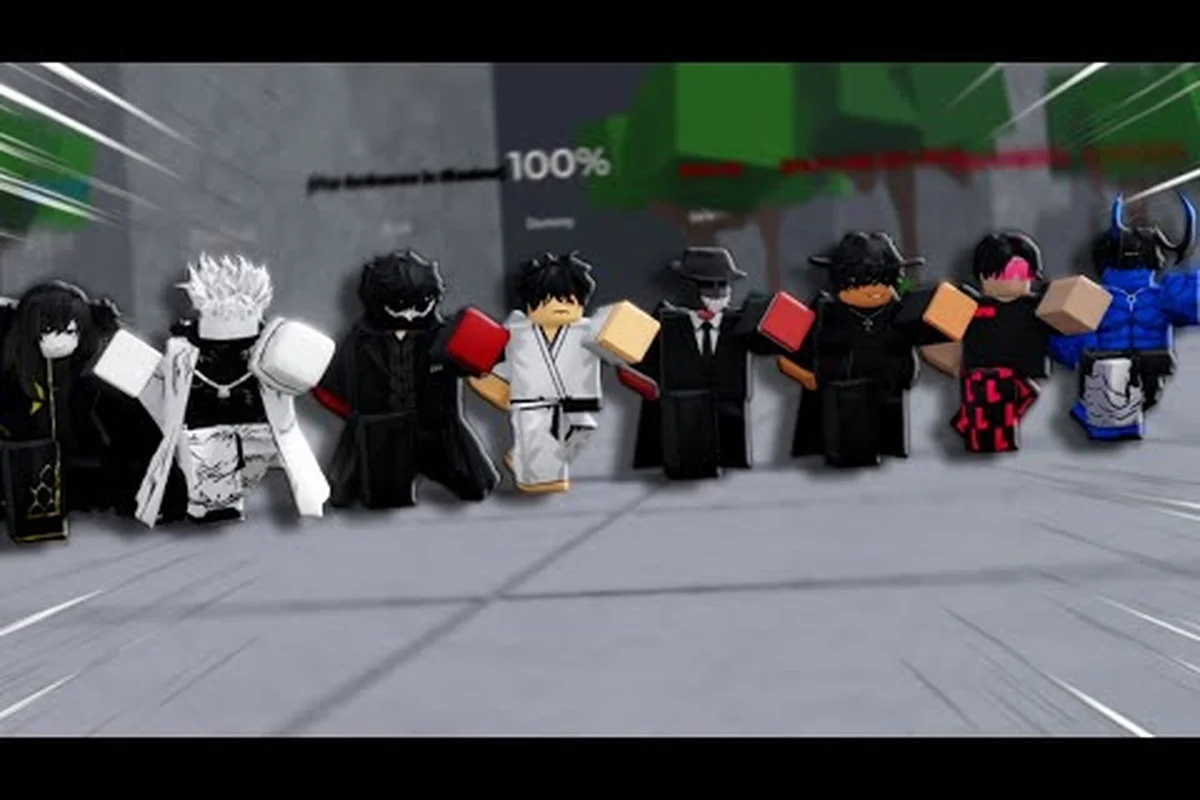
Joining the official Arts of Vermillion group is the fastest way to claim Legends Battlegrounds group perks, and it costs nothing but a click. The group badge, early update news, and direct access to the Legends Battlegrounds developer team all sit behind one free membership — here is exactly how to get them.
What the Legends Battlegrounds Group Perks Actually Are
The Legends Battlegrounds group perks are the rewards Roblox hands out when you join the game's official community group, Arts of Vermillion. Unlike in-game currency or limited skins, these perks are tied to your Roblox account rather than a single save file, so they follow you across every session and every device you play on. That distinction matters because it means you never lose access to them after a patch or a data reset.
| Perk | What it unlocks | Where it shows up | Tied to account or save? | Verified status |
|---|---|---|---|---|
| Official group badge | Username-adjacent badge on your Roblox profile | Roblox profile page | Roblox account | ✅ Verified |
| Priority access to update news | Patch notes and teaser posts ahead of public timeline | Group wall / group posts | Roblox account | ✅ Verified |
| Group-locked announcements | Posts that surface in the group before Discord or X | Arts of Vermillion group | Roblox account | ✅ Verified |
| Verified community hub | Direct dev posting channel (Zalekoth / zale) | Roblox group 33327115 | Roblox account | ✅ Verified |
| Eligibility for group events | Playtests and community showcases | Group events | Roblox account | ✅ Verified |
| Group membership scale | ~1.446 million members (late 2026) | Roblox group page | N/A | ✅ Verified |
The group itself is run by the Legends Battlegrounds creator, Zalekoth — usually shortened to zale in community posts — and it has grown into one of the larger Roblox game communities, with roughly 1.446 million members as of late 2026. A group that size is not just a vanity number. It signals that the perks are actively maintained and that the dev team still uses the group as a primary broadcast channel.
Here is what membership gets you at a glance — five perks that all funnel through your Roblox account rather than a single Legends Battlegrounds save slot. The official group badge renders beside your username on your profile, while priority access to update news pushes patch notes and teaser posts to you ahead of the public timeline. Group-locked announcements occasionally surface in the group wall before they hit Discord or X, the verified community hub gives the dev team a direct posting channel, and eligibility for group events covers playtests and community showcases.
-
Official group badge displayed on your Roblox profile next to your username
-
Priority access to update news, including patch notes and teaser posts
-
Group-locked announcements that sometimes appear before public social posts
-
A verified community hub where the dev team posts directly
-
Eligibility for group events such as playtests and community showcases
The group badge is the perk most players notice first, because it is visible to anyone who opens your profile. It is a small cosmetic marker, but in a game where the community is spread across Discord, YouTube, and X, that badge is the quickest way to show you are a real follower rather than a passerby.
It is worth being clear about what these perks are not. They do not grant stat boosts, exclusive movesets, or free awakening slots. Legends Battlegrounds keeps its combat balance separate from group membership, so joining will never make your character stronger in a duel. The value here is information and identity, not power.
How to Join the Arts of Vermillion Group and Claim Your Badge
Claiming the Legends Battlegrounds group badge takes under a minute, and the process is identical whether you are on PC, mobile, or console. You only need a Roblox account that is already logged in. From there, open the group page for Arts of Vermillion — the studio behind Legends Battlegrounds, run by developer zalekoth (also written zale) — and press the Join Group button, which sits directly beneath the group's banner and member count. Because Roblox groups are free to join and impose no level, Robux, or playtime requirement, there is no cooldown or verification step gating the badge; it is granted the instant your membership registers. If the button appears greyed out, you are almost certainly signed into a different account than the one you play Legends Battlegrounds on, so confirm your username in the top-right corner before retrying.
Step-by-step join process
-
Open the official group page for Arts of Vermillion on Roblox while signed into your account.
-
Click the Join Group button near the top of the page. The group is free to join, so no Robux changes hands.
-
Confirm the prompt. Your membership registers instantly and the badge attaches to your profile.
-
Refresh your Roblox profile page to verify the badge now appears under your username.
-
Launch Legends Battlegrounds and check the in-game group indicator, which some updates display in the lobby.
If the Join button is greyed out, the usual cause is a Roblox account age restriction or a pending verification step on your account rather than anything specific to this group. Roblox requires accounts to meet a minimum age threshold before they can join groups at all, so a brand-new account may need to wait.
Troubleshooting Group Membership Issues
| Problem | Likely Cause | Fix |
|---|---|---|
| Join button greyed out | Account too new or age-restricted | Wait for account eligibility, then retry |
| Badge not showing on profile | Profile cache lag | Refresh the page or log out and back in |
| Joined but no announcements | Notifications muted | Enable group notifications in Roblox settings |
| Kicked from group | Inactivity or rule violation | Rejoin if eligible; review group rules |
One detail that trips people up: joining the group does not automatically follow the dev team's other channels. The group page, the Discord server, and the YouTube channel are separate, and each one carries different content. The group is the badge and the broad announcements; the others go deeper.
Where the Legends Battlegrounds Developer Team Posts Updates
Knowing where the Legends Battlegrounds developer actually publishes is half the battle, because the community is split across four platforms and each one serves a different purpose: the Roblox group carries the Legends Battlegrounds group badge and headline announcements, Discord handles live patch talk, YouTube hosts zale's previews, and X pushes short alerts. If you only watch one, you will miss things — a balance change might surface first as a Discord debate, then land as a group announcement, then get explained visually on the zale YouTube channel days later, so the same news reaches each platform on a different timeline.
The zale YouTube channel is where the Legends Battlegrounds creator posts sneak peeks, trailers, update previews, and character showcases. Video is the best format for combat previews, since a new moveset or awakening animation is far easier to understand when you can watch it than when you read about it. Subscriber counts there sit in the low tens of thousands, which makes it a much tighter feed than the group.
The Discord server, meanwhile, is where the day-to-day conversation happens. It runs under the same Arts of Vermillion name and carries roughly 120,000 members, making it the largest single gathering point for active players. Patch discussion, bug reports, and balance debates all live there.
| Platform | What You Get | Best For |
|---|---|---|
| Roblox group | Badge, broad announcements | Identity and headline news |
| Discord server | Live chat, patch talk, bug reports | Real-time discussion |
| YouTube (zale) | Trailers, previews, showcases | Visual combat previews |
| X / Twitter | Short-form update pings | Fast alerts on the go |
The practical takeaway is to treat the group as your baseline and layer one or two other channels on top. A player who joins the group and follows the YouTube channel will catch essentially every major announcement without drowning in notifications.
If you want to understand the people behind the game in more depth — who founded the studio, how the group was built, and what the team's history looks like — the breakdown of who made Legends Battlegrounds covers that background in detail.
Reading the Update Cadence Behind the Group
Group membership is most valuable when you understand how often the Legends Battlegrounds developer team actually ships content, because that rhythm tells you when to check back. Based on community tracking through 2026, the team follows a pattern of smaller balance patches punctuated by larger content drops.
Balance adjustments tend to land more frequently than full content updates, and they usually target moveset damage values, awakening cooldowns, and dash cancel windows. These are the numbers that decide whether a character feels oppressive in duels, so the dev team tunes them often. Content updates — new characters, new arenas, seasonal events — arrive on a slower schedule and are typically teased first on the YouTube channel before the group posts a formal announcement.
This cadence is why group membership pays off over time rather than instantly. A player who joins today and checks the group weekly will catch every major drop within a day or two of release, while someone who relies purely on in-game discovery may not notice a new character for a week.
The roadmap itself shifts as the team responds to feedback, so treat any specific date you see in a community post as provisional. The 2026 update roadmap coverage tracks how the schedule has moved and which features have slipped or shipped early.
Why the Group Badge Matters More Than It Looks
It is tempting to dismiss a profile badge as pure decoration, but in a Roblox fighting game the badge does real social work. Legends Battlegrounds is a PvP-first experience where reputation travels fast, and a visible group badge tells other players you are plugged into the same information channels they are.
Consider how matchmaking actually feels. You load into a duel against a stranger, and within the first exchange you can usually tell whether they understand dash cancels, block timing, and awakening management. A group badge does not prove skill, but it does suggest the player at least follows the community where those techniques get discussed. In practice, badge holders are more likely to know the current meta than players who never touched the group.
There is also a practical benefit for anyone trying to improve. The group and its linked channels are where balance changes get explained, and understanding why a move was nerfed is often more useful than memorizing the new number. A player who reads the reasoning behind a dash cancel window adjustment can adapt their combo routes immediately, while someone who only sees the patch note has to rediscover the implications through losses.
For newer players still building fundamentals, the group is a natural companion to structured practice. The beginner guide walks through the core combat loop, and the group supplies the ongoing context that keeps that knowledge current as the game evolves.
Getting the Most Out of Your Membership
Once you have the badge, a few habits turn a passive membership into a genuinely useful one. None of them require spending Robux or grinding matches — they are about staying plugged in efficiently. The key is treating the group as an early-warning system rather than a chat room: developer zalekoth posts balance and event news to the group feed before it spreads through the wider Legends Battlegrounds community, so the members who actually read those posts are the ones who know a character is getting nerfed before the tier lists update.
-
Turn on group notifications so announcements reach you without manual checking.
-
Skim the Discord patch channel after each update rather than reading every message.
-
Follow the YouTube channel for visual previews of new characters before they go live.
-
Check the group wall periodically for event sign-ups and community showcases.
-
Verify badge visibility after major Roblox updates, since profile rendering occasionally glitches.
The single highest-value habit is reading patch notes the day they drop. Balance changes in a fighting game cascade: nerfing one character's awakening damage often pushes a different character into the top tier, and players who read the notes early get a head start on adapting. Group membership makes that reading effortless because the announcements come to you.
It also helps to know which perks are permanent and which are event-based. The badge and group membership persist indefinitely as long as you stay in the group, but event-specific rewards — playtest access, limited showcases — come and go. Treat the badge as your permanent anchor and everything else as a bonus that appears when the dev team runs something special.
Frequently Asked Questions
Is joining the Legends Battlegrounds group free?
Yes. The Arts of Vermillion group is completely free to join, and no Robux is required. You only need a Roblox account that meets the platform's minimum age requirement for group membership. Once you click Join, the badge attaches to your profile immediately and stays there as long as you remain a member.
What does the Legends Battlegrounds group badge do?
The badge is a cosmetic marker that appears on your Roblox profile next to your username. It does not grant stat boosts, exclusive movesets, or combat advantages. Its value is social and informational: it signals that you follow the official community, and it pairs with group announcements that keep you current on patches.
Who is the Legends Battlegrounds developer behind the group?
The game is developed by Arts of Vermillion, with Zalekoth — known as zale in the community — as the lead developer. The group, the Discord server, and the zale YouTube channel are all run under that same studio identity, which is why announcements across those platforms tend to stay consistent with one another.
Do group perks ever expire?
Group membership and the profile badge do not expire as long as you stay in the group. Event-based perks such as playtest access or limited showcases are temporary and tied to specific community events. If you leave the group, the badge disappears from your profile, but you can rejoin later if you remain eligible.
Where should I check first for new Legends Battlegrounds updates?
Start with the group for headline announcements, then check the zale YouTube channel for visual previews of new characters and movesets. The Discord server fills in the day-to-day detail, including balance discussion and bug reports. Following the group plus one other channel covers nearly every major drop without notification overload.
The Legends Battlegrounds group perks come down to one free click and a bit of ongoing attention. Join Arts of Vermillion for the badge and the announcements, follow the zale channel for visual previews, and treat the group as your permanent anchor while events come and go around it. That combination keeps you informed without turning community membership into a second job.