
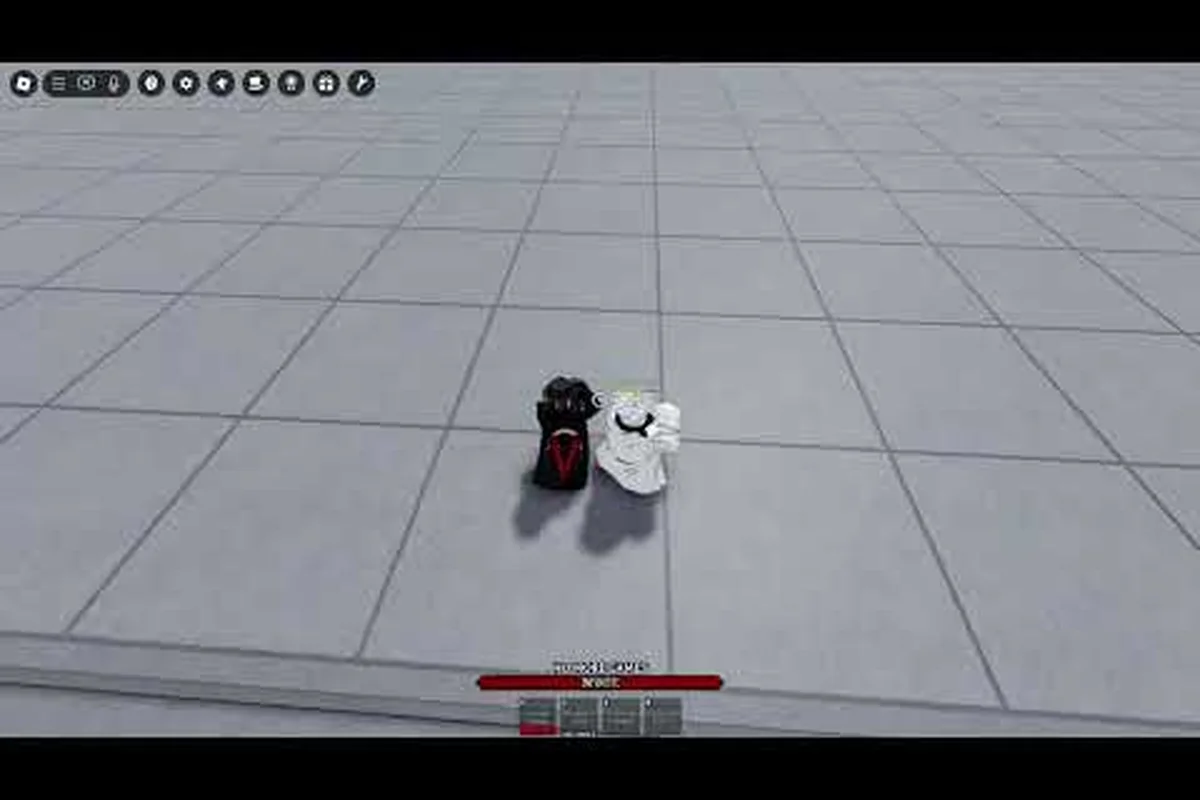
The Legends Battlegrounds YouTube scene is where the game's biggest combo discoveries, patch reactions, and developer updates surface first. If you want to learn a new moveset, track what the dev team is building, or just watch high-level stickman PvP, knowing which channels actually deliver matters more than scrolling endlessly through search results.
This guide maps out the verified official channel, the creator ecosystem around the game, and how that content connects to the wider Legends Battlegrounds community — so you can spend your time watching useful footage instead of guessing which uploads are worth a click.
Why the Legends Battlegrounds YouTube Scene Matters
The game's growth has been driven almost entirely by player-made video content. According to community stats tracked on Rolimons, the experience has passed 516 million visits, accumulated 5.9 million favorites, and holds an 88% favorable rating — numbers that only make sense when you factor in how much of the playerbase discovers new movesets through clips rather than in-game tutorials.
Because Legends Battlegrounds ships with no built-in training mode or move-list viewer, YouTube effectively becomes the game's manual. A player who wants to understand why a certain awakening cancel works will almost always find the answer faster in a 90-second breakdown than by labbing it alone in a duel lobby.
That dynamic shapes what the good channels actually produce: because the meta shifts with every balance patch — a nerfed M1 chain or a buffed awakening cancel window can invalidate an entire combo route overnight — creators who publish within the first 24 hours of an update capture the bulk of search traffic, while late uploaders get buried. This is why the most-watched Legends Battlegrounds channels treat patch days like launch events, racing to test which finishers still true-combo and which Q dash extensions got silently clipped.
-
Moveset breakdowns that walk through each character's four base attacks, variants, and finishers
-
Combo routing videos showing M1 chains into Q dash extensions and F block punishes
-
Patch reaction uploads posted within hours of a balance change going live
-
Tier list discussions ranking characters by matchup spread rather than raw damage
-
Dev stream recaps summarizing what the team said about upcoming content
The practical takeaway is simple: the video ecosystem is not optional background noise for this game — it is the primary knowledge layer that sits on top of the Roblox client, and it compounds in both directions. A single well-timed moveset breakdown can push a niche character from afterthought to meta staple within a week, while a stale tier list from two patches ago actively misleads players still running outdated M1 chain routes. That feedback loop is measurable in the game's own numbers: with 516 million visits and 5.9 million favorites tracked on Rolimons, the channels that consistently publish accurate awakening cancel and Q dash extension data end up functioning as de facto balance commentators — shaping which finishers get labbed, which matchups get respected, and which dev stream promises the community actually holds the team to.
How Video Content Shapes the Meta
When a creator publishes a new true combo that links a light attack string into an ultimate, that route spreads through the playerbase within days. Community reports consistently show that ranked lobbies shift toward whatever characters appear in the most-watched tier list videos of that month, which is why creators carry real influence over which movesets get labbed seriously.
This also means video quality varies wildly. Some uploads are genuine labbed research with frame-by-frame breakdowns; others are reaction content with no testing behind the claims. Learning to tell them apart is the single most useful skill a new viewer can develop.
The Official Legends Battlegrounds YouTube Channel
The verified developer channel is zale on YouTube, run by Zalekoth — the lead developer behind the game and the same handle attached to the official X/Twitter account. With roughly 11.3K subscribers, it is a modest channel by Roblox standards, but it functions as the closest thing to a primary source for Legends Battlegrounds development news.
What makes this channel worth subscribing to is that it occasionally hosts content you cannot get anywhere else: direct developer commentary on balance philosophy, early looks at characters in progress, and clarification when a community rumor about an upcoming nerf spirals out of control.
What the Dev Channel Actually Posts
The upload cadence is irregular rather than scheduled, which mirrors how the studio operates — patches ship when they're ready, not on a fixed weekly or monthly cycle, so the dev channel posts in bursts that track the actual Legends Battlegrounds development timeline rather than a content calendar. Based on community tracking, the channel's content tends to fall into a few recognizable buckets, with each upload type tied to a specific phase of the update cycle:
| Content Type | Typical Frequency | Value to Players |
|---|---|---|
| Patch overview / balance notes | After major updates | Confirms what actually changed |
| Character teasers | Before new releases | First look at movesets |
| Dev commentary clips | Occasional | Explains design intent |
| Community response videos | Rare | Addresses controversies |
| Livestream highlights | Sporadic | Behind-the-scenes context |
If you only follow one channel for Legends Battlegrounds development, this is the one to pick — not because it uploads often, but because when it does upload, the information is authoritative rather than secondhand. The distinction matters most during balance patches: when a character like a movement-heavy fighter gets a speed or cooldown adjustment, the dev channel's patch overview confirms the exact values, while third-party Legends Battlegrounds YouTube recaps often paraphrase or speculate. That is also why community trackers cross-reference dev uploads against the Legends Battlegrounds Trello board — the two sources together give players a verified picture of what changed and when, rather than a rumor chain.
Pairing the Channel With Written Sources
Video is fast but hard to search. Written documentation is slower but far easier to reference mid-match. Most serious players use both: they watch a breakdown once to understand the concept, then keep a written reference open for the exact inputs. The official Trello and dev forum resources serve that second role, and the two formats complement each other well when you are actively labbing a new character.
Top Creator Content and What to Watch For
Beyond the official channel, the creator ecosystem is where most players actually spend their watch time, and it's the main reason "legends battlegrounds youtube" search results skew toward independent uploads. The quality ceiling here is genuinely high — some creators produce frame-data-level analysis that rivals fighting game content for traditional titles, breaking down i-frame windows on dodge rolls, startup frames on each M1 string, and the exact stamina cost of a dash cancel. That granularity matters because Legends Battlegrounds ties most of its combat depth to timing rather than raw stats, so a creator who can show a 3-frame punish window on a whiffed heavy attack teaches more than any written guide.
The most reliable upload types, ranked by how much practical value they deliver: full moveset breakdowns sit at the top because they map every M1 string, heavy finisher, and variant option for a single character, letting you test a kit against your playstyle before spending currency on a main. Combo compilation reels rank next for routing inspiration, though they assume you already understand cancel windows and dodge-roll i-frames. Matchup analysis and tier list discussions follow, since their value shifts with each balance patch and means less once the meta settles.
| Video Type | Best For | Watch When |
|---|---|---|
| Full moveset breakdowns | Learning a new character | Before you commit to a main |
| Combo compilation reels | Inspiration for routing | After you know the basics |
| Matchup analysis | Ranked preparation | Before a serious climb |
| Tier list discussions | Meta awareness | Start of each patch cycle |
| Patch reaction videos | Quick change summaries | Day one of an update |
A well-made moveset breakdown will cover all four base attacks, explain which variants are worth using, and demonstrate at least one practical combo route. If a video skips the variant discussion entirely, treat it as entertainment rather than study material.
Recognizing High-Quality Analysis
The clearest signal of a trustworthy creator is whether they show failed attempts alongside successful ones. A combo video that only shows clean hits tells you nothing about consistency; one that shows the route dropping three times before landing tells you exactly how tight the timing window is. Community testing threads frequently echo this — players trust creators who admit difficulty over ones who present every route as effortless.
Another signal is patch awareness. A creator who references specific balance changes by name and explains how they affect existing routes is doing real work. One who posts a "new best combo" video without mentioning that it only works on the current patch is setting viewers up for disappointment.
Where Video Meets the Wider Community
Creator content does not exist in a vacuum — it feeds directly into discussion spaces. When a controversial tier list drops, the debate usually migrates to the Legends Battlegrounds community Discord, where players argue over placements with actual matchup data. That back-and-forth is often more informative than the original video, because it surfaces counterarguments the creator did not address.
Tracking Legends Battlegrounds Development Through Video
For players who care about where the game is heading, video content offers something written patch notes cannot: tone. A developer explaining a nerf on camera communicates whether the change is a temporary fix or a philosophical shift, and that context shapes how you should invest your practice time.
The game launched on November 5, 2023, and has been updated continuously since. That update history is visible in the video archive — older uploads show movesets and mechanics that no longer exist, which makes them useful as a rough timeline of how the combat system evolved.
Reading the Update Cadence
| Development Signal | Where It Shows Up First | Reliability |
|---|---|---|
| New character reveal | Dev channel / teasers | High |
| Balance changes | Patch notes + creator recaps | High |
| Rumored features | Community discussion | Low until confirmed |
| Event timing | Dev streams | Medium |
| Bug fixes | Patch notes | High |
The practical rule is to treat unconfirmed rumors as speculation until they appear on an official channel or in patch notes — the same reliability gap the table above captures, where rumored features sit at "Low until confirmed" while balance changes and bug fixes land at "High." A concrete case: a creator may post a "new Legends Battlegrounds character leak" video that racks up views off a single Discord screenshot, yet nothing changes in-game until that character appears in an official teaser or dev stream. Video creators sometimes amplify rumors for engagement, and that amplification does not make the rumor true. Cross-checking a claim against the Trello board or the dev channel before repeating it keeps your own Legends Battlegrounds community posts credible rather than contributing to a cycle of recycled speculation.
Using Video to Prepare for Updates
Smart players use the pre-patch window productively. When a creator publishes a "what to expect" video based on dev commentary, you can start practicing the mechanics most likely to matter after the update lands. That head start is small but real, especially for characters whose core routing is about to change.
Getting the Most From Legends Battlegrounds Support Channels
Legends Battlegrounds support and community resources extend well beyond video. The official Roblox group, Arts of Vermillion, has grown to roughly 1.446 million members, and the associated Discord server hosts around 120,000 members — a scale that means questions usually get answered within minutes rather than hours.
Video and text support serve different needs, and knowing which to reach for saves time: a combo or movement question is best answered by watching a creator's Legends Battlegrounds YouTube clip frame-by-frame, since timing windows and dash-cancel routing are hard to convey in writing, while a build or damage question is faster answered by scanning a written breakdown of M1 scaling and skill cooldowns. The 1.446M-member Arts of Vermillion group and its 120,000-member Discord make real-time troubleshooting the default for anything patch-related.
-
Video — best for learning motion, timing, and visual routing
-
Written guides — best for exact inputs and quick mid-session reference
-
Discord — best for real-time troubleshooting and matchup questions
-
Dev forum — best for bug reports and formal feedback
-
Trello — best for tracking confirmed upcoming changes
If your question is "how do I do this," video usually wins — a 30-second clip of a True Ultra Instinct combo string or a Godhuman M1 confirm loop communicates startup frames and hitbox timing that a written guide would need 500 words to approximate. If your question is "why did this happen," text and community discussion usually win, because patch notes, Trello card updates, and Discord threads on nerfs to moves like Thunder God's Wrath or reworks to race passives explain the cause-and-effect that a clip can only show in isolation.
When to Escalate Beyond Video
Some problems simply cannot be solved by watching footage. If you encounter a bug — a move that fails to register, a character stuck in an animation, a match that will not end — the right move is to document it and report through official channels rather than asking a creator. Video helps you learn the game; it does not fix it.
Similarly, if you are dealing with a rule violation or account issue — a false ban, a missing Robux purchase, a trade that failed to process — that is a support matter, not a content matter. Creators on YouTube can showcase Legends Battlegrounds gameplay, but they cannot restore your account, reverse a moderation action, or investigate a bug on your behalf. Routing these requests to the official Legends Battlegrounds support channels, rather than dropping them in a creator's comment section or the community Discord, keeps those spaces focused on discussion and gets your ticket into the queue where it can actually be resolved.
Frequently Asked Questions
Is there an official Legends Battlegrounds YouTube channel?
Yes. The verified developer channel is run by Zalekoth, the lead developer, at roughly 11.3K subscribers. It posts patch overviews, character teasers, and occasional dev commentary. Uploads are irregular rather than scheduled, so subscribing and enabling notifications is the practical way to catch new content.
Why is Legends Battlegrounds popularity so tied to video content?
Because the game ships without a training mode or in-game move list, video fills that gap. With over 516 million visits and 5.9 million favorites according to community stats, the playerbase is large enough that creator content becomes the default learning resource, and that content in turn drives further growth.
Do I need to watch videos to get good at the game?
Not strictly, but it helps significantly. Combo routing, awakening timing, and matchup knowledge are all easier to absorb visually. Players who lab entirely on their own tend to take longer to discover efficient routes that the community has already documented, which puts them behind in ranked play.
How do I know if a creator's combo video is accurate?
Look for failed attempts and patch references. A trustworthy creator shows routes dropping before they land and names the specific balance changes affecting the combo. If a video presents every route as effortless and never mentions the current patch, treat it as entertainment rather than a reliable reference.
Where should I go for Legends Battlegrounds support instead of video?
For bugs, account issues, and rule violations, use official channels — the dev forum and the official Discord server, which hosts around 120,000 members. Video is for learning mechanics; support matters belong in the proper reporting systems where they can actually be resolved.
The Legends Battlegrounds YouTube ecosystem works best as one layer of a broader toolkit. The official channel gives you authoritative development news, creator uploads give you practical technique, and the written community resources give you something to reference mid-match. Used together, they cover nearly everything a player needs to improve — and knowing which source to reach for at which moment is what separates players who plateau from players who keep climbing.