
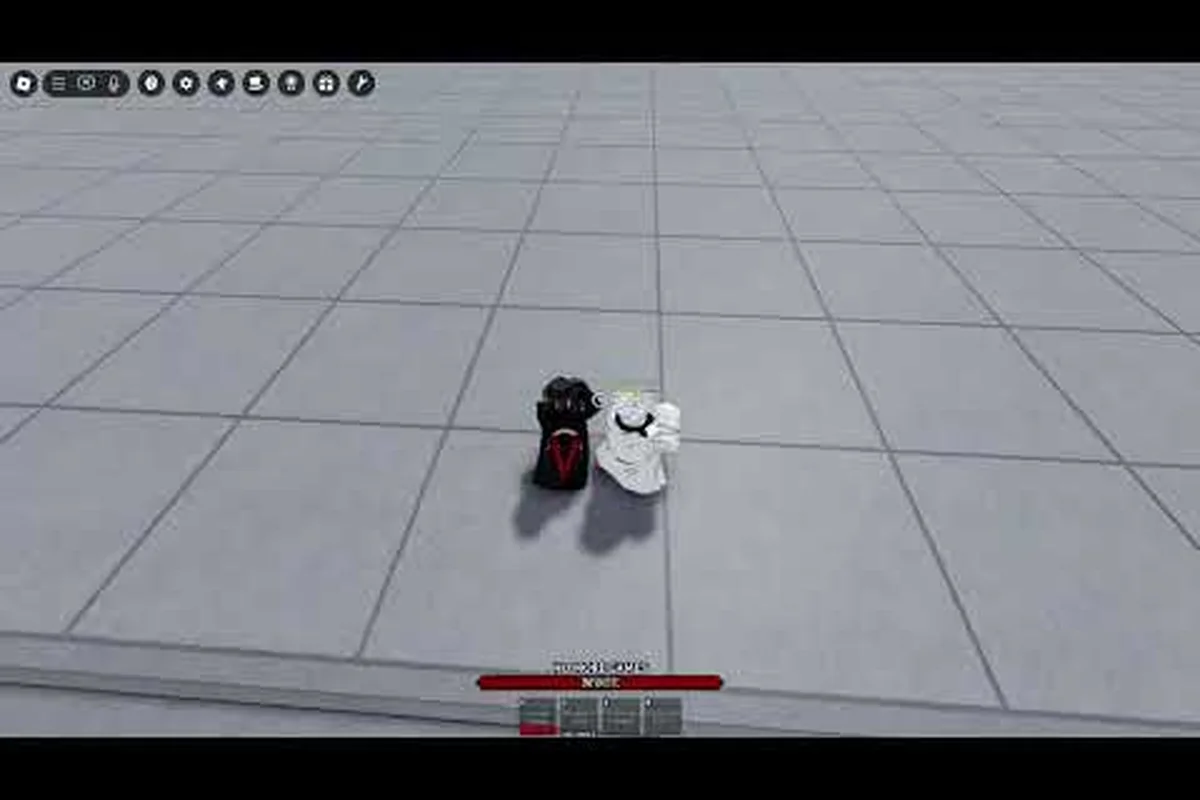
The Legends Battlegrounds emote wheel is the fastest way to trigger any expression mid-match, and knowing how to use emotes cleanly separates a smooth lobby experience from a fumbled one. This guide breaks down the wheel layout, the full emote list, and how to get every unlock.
How the Emote Wheel Works in Legends Battlegrounds
The wheel is a radial menu that opens on a single keypress and lets you fire off an expression without leaving the action. On PC, the default bind is the B key, which pulls up the emote wheel for quick selection mid-lobby. You hold or tap the key, the radial menu appears around your cursor, and you flick toward the slot you want.
The system is built for speed rather than depth. You get a fixed number of slots, and each one holds a single emote you have unlocked. Because the wheel pauses your input focus for a split second, the smartest players pre-load the expressions they actually use and leave the rest in the collection menu.
The wheel controls a fixed set of eight equipped emote slots plus a separate collection tab, meaning only your pre-loaded expressions are reachable mid-match — everything else stays locked in the Locker menu until you swap it in. Each slot maps to a directional flick from the radial center, and releasing confirms the highlighted emote, so muscle memory on your slot layout matters more than the size of your emote list. Hovering a slot also triggers a preview loop before you commit it, which is how most players test a newly unlocked emote without wasting a match slot on something they dislike.
| Wheel Element | What It Does | Default Input |
|---|---|---|
| Radial menu | Opens the emote selection ring | B key (PC) |
| Slot grid | Holds your equipped emotes | 8 slots by default |
| Quick trigger | Fires the highlighted emote | Release / confirm |
| Collection tab | Stores every owned emote | Locker menu |
| Preview | Plays a loop before equipping | Hover on slot |
The wheel is cosmetic only, so it never affects combat stats, movement speed, or hitboxes. That matters because some players assume an emote locks them in an animation that can be punished. Outside of a duel finish, most emotes cancel the moment you move.
A quick note on timing: the wheel opens faster in the lobby than in an active duel, where the game prioritizes combat inputs. If you are mid-fight, expect a slight delay before the ring appears. Community players report this is intentional so emotes do not interrupt attack chains.
Binding the Wheel on PC
On PC, the emote wheel is bound to B out of the box, but you can rebind it from the settings menu if B conflicts with another action. Open Settings, go to the Controls tab, and look for the emote category. From there you can assign a mouse button or a side key if you prefer.
Many players move the wheel to a mouse thumb button because it keeps the left hand free for movement. If you play with a controller, the wheel maps to the D-pad by default, with each direction tied to a slot. Rebinding is worth the two minutes it takes, especially if you emote often during lobby downtime.
Using the Wheel on Mobile
Mobile players get a dedicated emote button on the touch HUD rather than a keyboard bind. Tapping it opens the same radial layout, and you drag your thumb toward the slot you want. The mobile wheel is slightly larger to accommodate finger accuracy, and you can reposition the button in the HUD editor.
Because mobile screens vary, the button sometimes overlaps the movement stick on smaller devices. Dragging it to the upper-right corner is the common fix. The emote list itself is identical across platforms, so nothing is locked behind your device.
The Full Emote List and What Each One Does
The Legends Battlegrounds emote list is split into a few families: basic expressions, dance emotes, laugh emotes, exclusive emotes, and team or duo emotes. According to community wiki data, emotes are accessed with B, and the collection includes both freely available expressions and premium unlocks tied to gamepasses.
Below is a breakdown of the main emote categories you will see in the collection menu, which groups emotes into basic expressions, dance emotes, laugh emotes, exclusive emotes, and team or duo emotes. According to community wiki data, emotes are accessed with the B key, and the collection includes both freely available expressions and premium unlocks tied to gamepasses. Exact slot counts can shift with updates, so treat this as a structural map rather than a fixed number. The category you pick also determines how an emote behaves in a match: basic expressions fire instantly and cancel on movement, dance emotes run as longer loops, and team emotes like Lost Woods Duo require a second player before they will trigger at all.
| Emote Category | Example Emotes | How It Is Used |
|---|---|---|
| Basic expressions | Wave, Point, Clap | Solo, instant trigger |
| Dance emotes | Full-body dance loops | Lobby downtime |
| Laugh emotes | Taunt-style laughs | After a win |
| Exclusive emotes | Event and gamepass drops | Limited availability |
| Team / duo emotes | Lost Woods Duo | Requires a second player |
Basic expressions are the workhorses. They fire instantly, loop briefly, and cancel on movement, which makes them safe to spam in a lobby without disrupting anything. Dance emotes are longer loops and are best saved for pre-match downtime or post-duel celebrations.
Laugh emotes sit in a gray zone. They are technically cosmetic, but the community treats them as light taunts, so expect a reaction if you fire one after a clean knockout. Exclusive emotes are the rarest tier and often come from time-limited events or gamepass purchases, which is why they show up as status symbols in lobbies.
Team and Duo Emotes
Team emotes, sometimes called expressive emotes, are the ones that need a partner. The Lost Woods Duo Emote is the clearest example: two players trigger it together, and the animation only plays when both are in range and confirm. These are popular after a duel finish or during lobby roleplay.
The catch is coordination. You cannot force a duo emote on a random player, so most people set them up with a friend or a clanmate before queuing. Community players report that duo emotes pair well with martial legend characters, since the animations read as synchronized stances rather than goofy dances.
Exclusive and Event Emotes
Exclusive emotes are the ones that rotate out. The Kang Emote, shown in an official sneak peek, is a punch-sequence animation that reads as a martial flourish rather than a dance. It is the kind of emote that signals you were around for a specific update window.
Because these come and go, the practical advice is simple: if an event emote appears in the shop or as a reward, grab it while it is live. There is no reliable way to earn a retired emote later unless the developers re-run the event, and re-runs are not guaranteed.
How to Get Emotes: Every Unlock Path
Knowing how to get emotes in Legends Battlegrounds comes down to three routes: free progression, gamepass purchases, and limited-time events. Each route feeds the same collection menu, so once an emote is unlocked it stays available to slot into the wheel.
The table below maps each unlock path to what it typically rewards and how reliable it is, so you can weigh a guaranteed free dance emote against a time-gated seasonal drop before committing Robux. Use the Reliability column as your planning filter: "Always available" routes such as free progression and update rewards never expire, while "Time-gated" event emotes and "Requires coordination" duo unlocks can vanish or stall if you skip the window or lack a partner.
| Unlock Path | Typical Reward | Reliability |
|---|---|---|
| Free progression | Basic and dance emotes | Always available |
| Gamepass purchase | Exclusive emote packs | Instant on purchase |
| Limited-time event | Rare and seasonal emotes | Time-gated |
| Update rewards | Newly added emotes | Tied to patch drops |
| Duo / team unlocks | Partner-based emotes | Requires coordination |
Free progression is the most forgiving path. You earn basic and dance emotes simply by playing, and they cover the majority of what you will actually use in a lobby. There is no reason to spend before you have exhausted the free set, because the free emotes already handle waving, celebrating, and dancing.
Gamepass purchases are the direct route to exclusive packs. If a specific emote is the reason you are browsing the shop, check whether it is bundled or sold alone, since bundles often include several emotes for a better rate. For a broader look at what is available without spending, the free emotes breakdown covers the no-cost unlocks in detail.
Free Emotes vs Paid Emotes
The honest comparison is that free emotes cover function and paid emotes cover flair. Free unlocks give you the expressions you need for normal play, while paid and event emotes add the animations that stand out in a crowded lobby.
If your goal is simply to use the wheel effectively, free emotes are enough. If your goal is to collect, the paid and event tiers are where the rare animations live. Neither path changes gameplay, so the decision is purely about how you want your character to read to other players.
Event and Update Emotes
Event emotes are the trickiest to plan around because they depend on the developer's update schedule. When a new patch drops, it sometimes ships with a fresh emote tied to the update theme, and those are often available for a limited window before rotating out.
The practical move is to check the shop and reward tabs right after a major update. That is when new emotes surface, and it is also when the community is most active in testing which animations actually look good in motion. If you want to see how these newer additions compare, the dance and kill emotes roundup tracks the flashier unlocks.
How to Use Emotes Effectively in Matches
Using the wheel well is less about the emotes themselves and more about when you fire them. The wheel is cosmetic, but timing still matters for how your actions read to opponents and teammates. A Legend who spams a laugh emote mid-fight signals overconfidence and hands the enemy squad a psychological edge, while a well-placed dance emote during a lull after a knock confirms the kill and pressures the remaining players. Treat each emote as a communication beat: fire it after a confirmed knock, during a rotation pause, or in the pre-round lobby, never while your squad is actively trading shots.
Here are the practical rules that experienced players follow: bind your most-used emote to a single key rather than cycling the full emote wheel, since opening the radial menu locks your movement for roughly half a second and leaves you exposed during a push. Map the dance emote and laugh emote to separate hotkeys so you can fire the right reaction without scrolling, and keep one slot empty as a buffer — a full wheel forces extra rotation time. On console, the default B button binding competes with crouch, so remapping to a paddle or stick click prevents accidental emotes mid-slide.
-
Pre-load your slots before the match starts so you never fumble the ring mid-lobby.
-
Save dance emotes for downtime rather than active duels, since long loops cancel awkwardly.
-
Use laugh emotes sparingly after a win, because they read as taunts and invite retaliation.
-
Coordinate duo emotes with a partner before queuing, since they need two confirmations.
-
Rebind the wheel to a comfortable key or button if the default B key clashes with your setup.
The biggest mistake new players make is treating the wheel as a combat tool. It is not. An emote will not dodge an attack, bait a reaction, or extend a combo. The moment you accept that, the wheel becomes a clean social layer instead of a liability.
Reading Opponent Emotes
Emotes also function as a light communication channel. A wave before a duel is a friendly signal, while a laugh after a knockout is a clear taunt. Reading these cues helps you decide whether a lobby is casual or competitive.
Because emotes are visible to everyone in range, they are effectively public. That means a well-timed emote can set the tone of an entire lobby, and a badly timed one can make you look like you are gloating. The safe default is to keep emotes light and save the taunts for people you actually know.
Slot Management Tips
With a limited number of emote wheel slots, slot management becomes the real skill separating smooth in-match communication from fumbling through menus mid-fight. The core principle is simple: place your most-used emotes — taunts, quick laughs, GG calls — on the fastest-to-reach inner positions, and relegate rare showpieces or seasonal exclusives to the outer slots you trigger less often. This matters because the emote wheel is radial, meaning inner slots sit closer to the thumb stick's neutral position and demand less precise input, while outer slots require a longer, more deliberate flick. In a fast-paced match, that split-second difference decides whether your BM lands before the enemy disengages or whiffs entirely.
A simple system is to reserve the first few slots for basic expressions, the middle slots for dance and laugh emotes, and the last slots for exclusive or duo emotes. That way your muscle memory stays consistent even as your collection grows, and you never have to hunt for the emote you actually want.
If you are still deciding which characters pair best with your favorite animations, the full character roster shows how each martial legend moves, which helps you pick emotes that fit a character's style.
Common Emote Wheel Mistakes to Avoid
Most emote problems come from a handful of repeatable mistakes, and each one has a clear cause. Leaving the wheel on its default bind is the first trap, since that key often overlaps with ping, crouch, or ability inputs. The second is stuffing every slot with long dance loops, which makes each trigger commit you to a full animation and slows the whole wheel down. The third is never opening the collection menu, so rare unlocks from battle pass tiers or event rewards sit unused while default emotes fill your slots. None of these mistakes cost you stats, but fixing them takes only minutes and makes the wheel feel far smoother in every match.
The most common issue is leaving the wheel on its default bind when that key already does something else. If B is bound to another action, you will trigger the wrong thing at the wrong time. Rebinding solves it immediately.
A second mistake is equipping long dance loops in every slot. When every slot is a long animation, the wheel feels sluggish because each trigger commits you to a full loop. This matters most in fights where you need a fast emote to bait an enemy or celebrate a knock without standing still for three seconds. A practical fix is to reserve one or two slots for short emotes and keep only a single long dance loop for downtime between fights. That mix keeps the wheel responsive without sacrificing the flashy emotes you actually want to show off.
The third mistake is ignoring the collection menu entirely, which quietly caps how good your emote wheel can ever get. Players who never open it end up with a wheel full of default emotes while rare unlocks from battle pass tiers, event rewards, and limited-time store drops sit unused in their inventory. This matters because the legends battlegrounds all emotes pool keeps growing with every season, and the collection menu is the only place that shows exactly which emotes you already own versus which ones still need unlocking. A quick check after each patch, especially when a new battle pass tier or event reward lands, tells you whether you have a fresh legendary or epic emote worth slotting into your wheel instead of a stale default. Skipping that habit means you could be running a full wheel of starter emotes for entire seasons without realizing you unlocked something far better.
Finally, some players assume emotes are pay-to-win. They are not. Every emote is cosmetic, and the wheel never grants a stat advantage. The only thing you gain from a rare emote is how your character looks to everyone else in the lobby.
Frequently Asked Questions
What key opens the emote wheel in Legends Battlegrounds?
The default bind is the B key on PC, which pulls up the radial emote menu for quick selection. Controller players use the D-pad, and mobile players tap a dedicated emote button on the touch HUD. You can rebind the PC key from the Controls tab in settings if B conflicts with another action.
How many emotes can I equip at once?
The wheel holds a fixed set of slots, commonly 8 by default, and each slot carries one unlocked emote. You can swap emotes freely from the collection menu, so the limit is on equipped slots rather than on how many you own. Your full collection stays available even when slots are full.
Are any emotes free to unlock?
Yes. Basic expressions and several dance emotes come through free progression, so you can fill a functional wheel without spending anything. Paid gamepasses and limited-time events cover the exclusive and rare tiers. According to community data, the free set already handles most everyday lobby use.
Do duo emotes need a second player?
Team emotes like the Lost Woods Duo Emote require a partner to trigger, since the animation only plays when both players confirm in range. You cannot force one on a random player, so set them up with a friend or clanmate before queuing. Solo emotes work instantly without any partner.
Do emotes give any gameplay advantage?
No. Every emote is purely cosmetic, so the wheel never changes combat stats, movement speed, or hitboxes. An emote will not dodge attacks or extend a combo. The only benefit is visual, which is why experienced players treat the wheel as a social layer rather than a tactical tool.
The emote wheel in Legends Battlegrounds is a simple system once you understand its three moving parts: the bind, the slots, and the collection. Set your key or button, pre-load the emotes you actually use, and check the collection after each update so new unlocks do not sit idle. Whether you stick to free expressions or chase exclusive event drops, the wheel stays cosmetic and safe to use in any lobby.